alias lookupnode fail
Answered
I tend to apply a c++ plugin in Android.I works well when running on Windows platform.But it crashed on android.It was a function called within on propertyChange,the code as below in plugin.It mean to get camera node by alias,but the lookupnode function return nullptr when it run on android. I do creat the correspond alias.I wonder How to solve this problem?Does the nullprt only occur at Camera node?
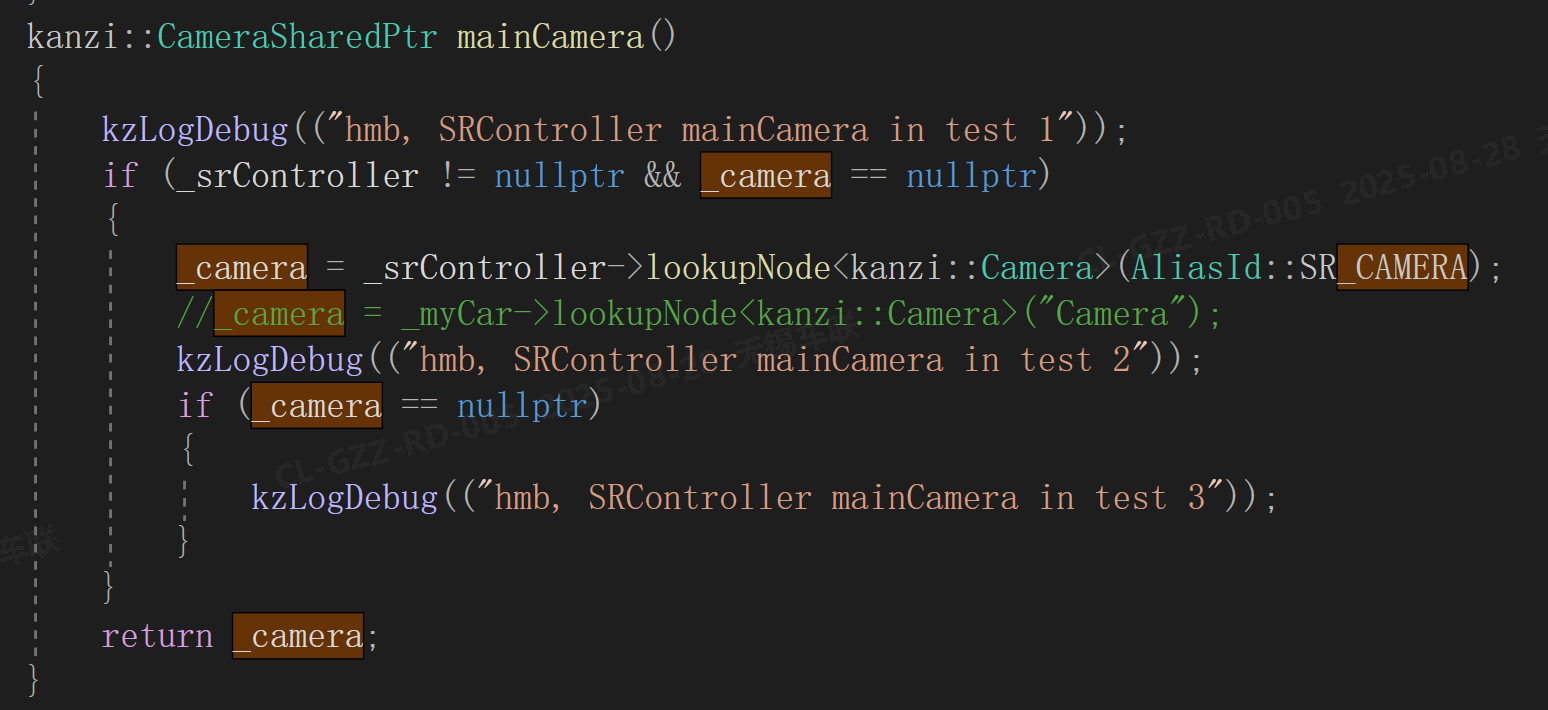
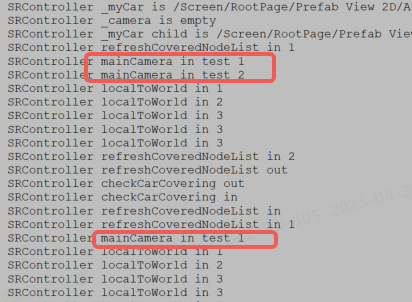
windows log
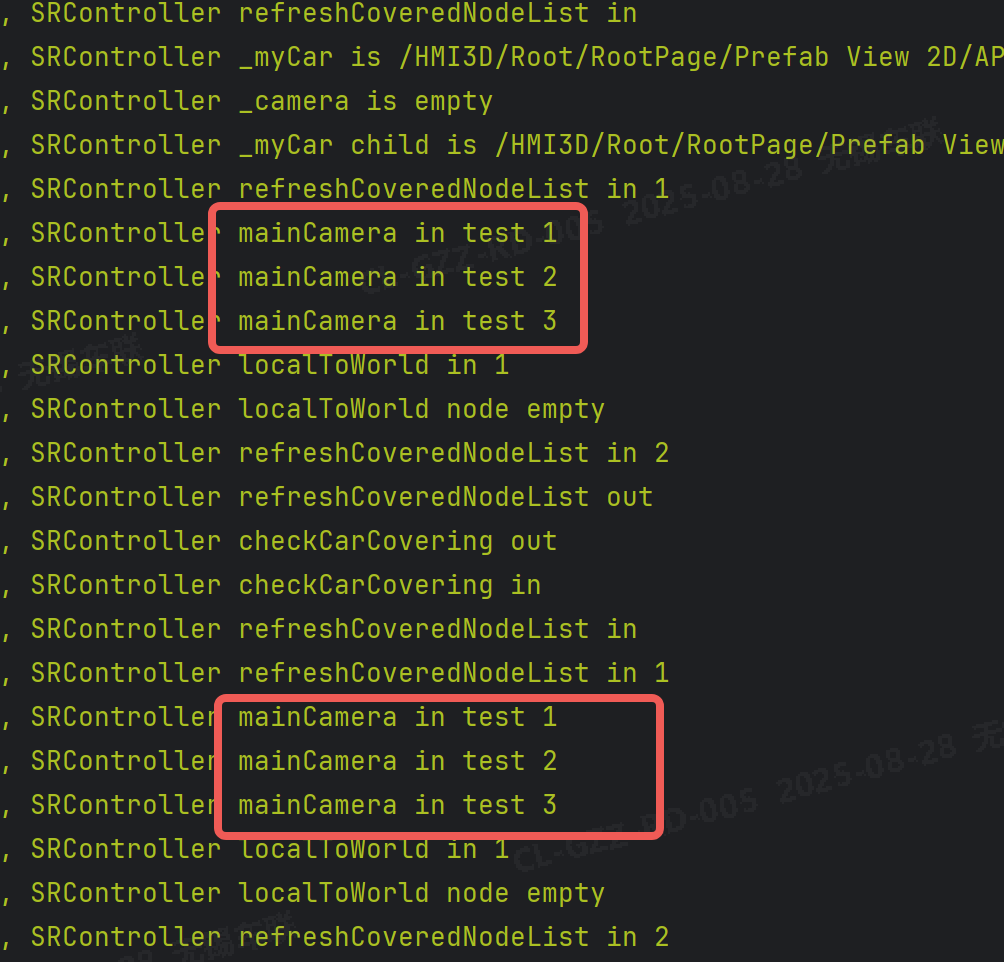
android log
-
kanzi studio version 3.9.12
0 -

Hello Hemengbing,
nullptr can happen for 2 reasons;- The lookup fails to find a node at the given path
- The lookup find a node, but it is of the wrong type -> This causes the dynamic pointer cast to fail and return nullptr
The reason the lookup returns null is that the path is different on Android/Windows (evidence of this is in the logs provided)
Depending on how the path is used, it may be needed to adjust this based on the platform.
Additional items to check:- Where is the dictionary with the alias located?
- What is the prefab they are instantiating on Android, and does it contain the above dictionary
- Make sure the kzb is exported.
1 -
thanks for your reply。here is more detail。
I creat the resource dictionary at a prefab root of sub kanzi project. All the alias created in it。
And Under the prefab root i creat a viewport and attach a default scene,then I creat a plugin node as its child.In the plugin i lookup the node by the alias as code show before.
For main kz proj ,I instance a prefab view of sub project that i just created.
In android ,it's a template android application. I change the kzbPathList to the main kzproj kzbcfg,and meantime i set the startupPrefabUrl string to the main kzproj startup url copy.
The kzb do exported,to check this I add a text in sub kzproj prefab,and it shows on Android.
0 -
The reason the lookup returns null is that the path is different on Android/Windows (evidence of this is in the logs provided)--------I do the lookupnode by alias intstead of path,all the thing i need to do must after get the node.Another confusion is ,you can see the log,I also look up a Node3D named mycar,it works both on windows and android.
0 -
hello,Jason.good day.
I've encountered another problem.The application crash at the gerproperty function. Does the native c++ plugin have additional requirements when running on android,or need to do something else for the resource before onAttach?I do creat the preoperty in studio.I have double checked the property type and name.Meantime it works on Windows.
How to find the root cause like this and above problem when kanzi run cross platform? Is it a problem with my usage or a problem with kanzi engine on Android.

 0
0 -
Hi and goodday,
For the new issue, its suspected that this is an RTTI problem, which is that it is needed to link the native .so with the app during build time.
This is done in the CMakeLists.txt, and it is explained in the docs.
Please refer to the following link, and look to Step 5,
https://docs.kanzi.com/3.9.13/en/working-with/plugins/creating-kanzi-engine-plugins.html#creating-a-native-kr-plugin-manually
(The context doesnt match your workflow, however doing step 5 should fix the current issue you are facing)0 -
Hi,According to your suggestion ,I check the cmakelist of my project.I think the library had linked during the build time.Because the .so file pre-build in another template,I add the library in the cmake file of android app as below. I do the message{} function and confirm the libpath is right.

And for the first issue,in the same native c++ plugin,could you provide some other suggestion to make sure the root cause? As I discribed,I have also tried reliative path、absolute path,neither of them works.
0 -
Hi and goodday,Jason.
Base on your reply,I change my mind and the way linking the so file ,then the GetProperty function works on Android. Thanks again for your support.
0 -

Hello,
This is good news. This is a known issue on Android, and if the plugin library is not linked to the application during build-time, the Runtime-type information (RTTI) between library and application build can be mismatching, and this can cause subtle errors. It could even cause the original problem you were facing with the Alias. We suggest you try it again, now that the RTTI-issue is solved.
If the lookup using the alias still does not work, then it may be a problem that will require a deeper look. If you open a support ticket, then you can share more details about your project and the dev-team can try to reproduce and investigate deeper.
Best regards,
Bjorn
0
Please sign in to leave a comment.
Comments
9 comments