Unable to perform rotation around any item from it's origin using Key frame animations in Kanzi studio( version 3.9.13)
Answered
As attached , while rotating any 2d element by adding key frame animations, the rotation doesn't work as expected. In-fact rotation seems to be not originating from an element's center , instead the rotation takes place at some random position. Tried by setting transformation type to Render Transformation in preview window as well as by adding render transformation origin to 0,0 in properties window. Nothing seems to be working.

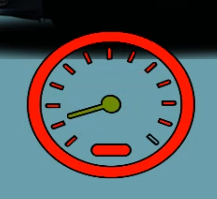
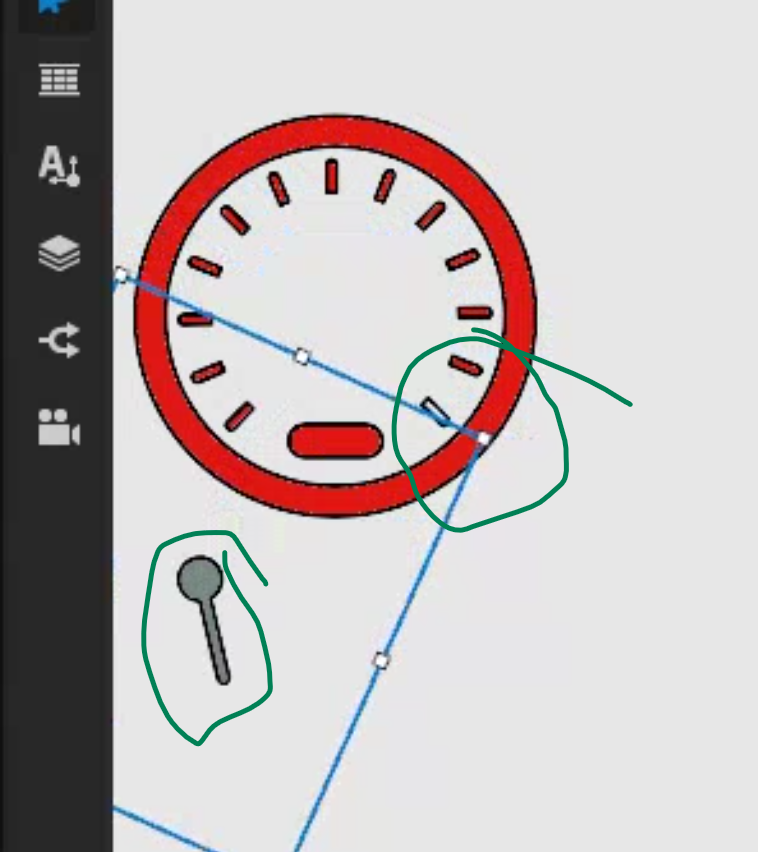
-
Official comment

Hi Yes,
In Kanzi the origin of an image in the scene is usually the top-left of the image. This is the same with the Kanzi scene and screen, and you can test this yourself, by creating an image node and adjusting the render transformation to different coordinates.
(0,0) -top left
(0,1000)- probably off screen Y is up
(0,-1000)-down on the Y axis from the original posisiton
(1000,0) top of the screen to the right 1000 pixels
(-1000,0) probably off screen to the left
You can adjust the image in 2 different ways.
First you can adjust the Render Transformation Origin. This is a property you can add to a 2d node to adjust the origin position of the image. You can then line it up with your needle image and ensuring that it is lined up as needed. This is the recommended and easiest way to move forward.
The second way is to adjust the image where the needle is at the top left of the image where the origin of the image is natively. In your current images you shared, you may not want to go this route, as you have a circle at the base of the needle, and this would be cut off. This could be rectified by putting a second image on top, for the circle base of the needle. -
Id also like to recommend that the images you use for your design are as small as possible, or the empty negative space around the needle is as small as possible.
Reason being, is that Kanzi engine will still spend rendering time to render all of those empty pixels, this is because the entire texture is being rendered.
This is an optimization note of course, not an issue with 1 image, but when there are hundreds of images in a HMI design, this could add up to a lot of wasted performance.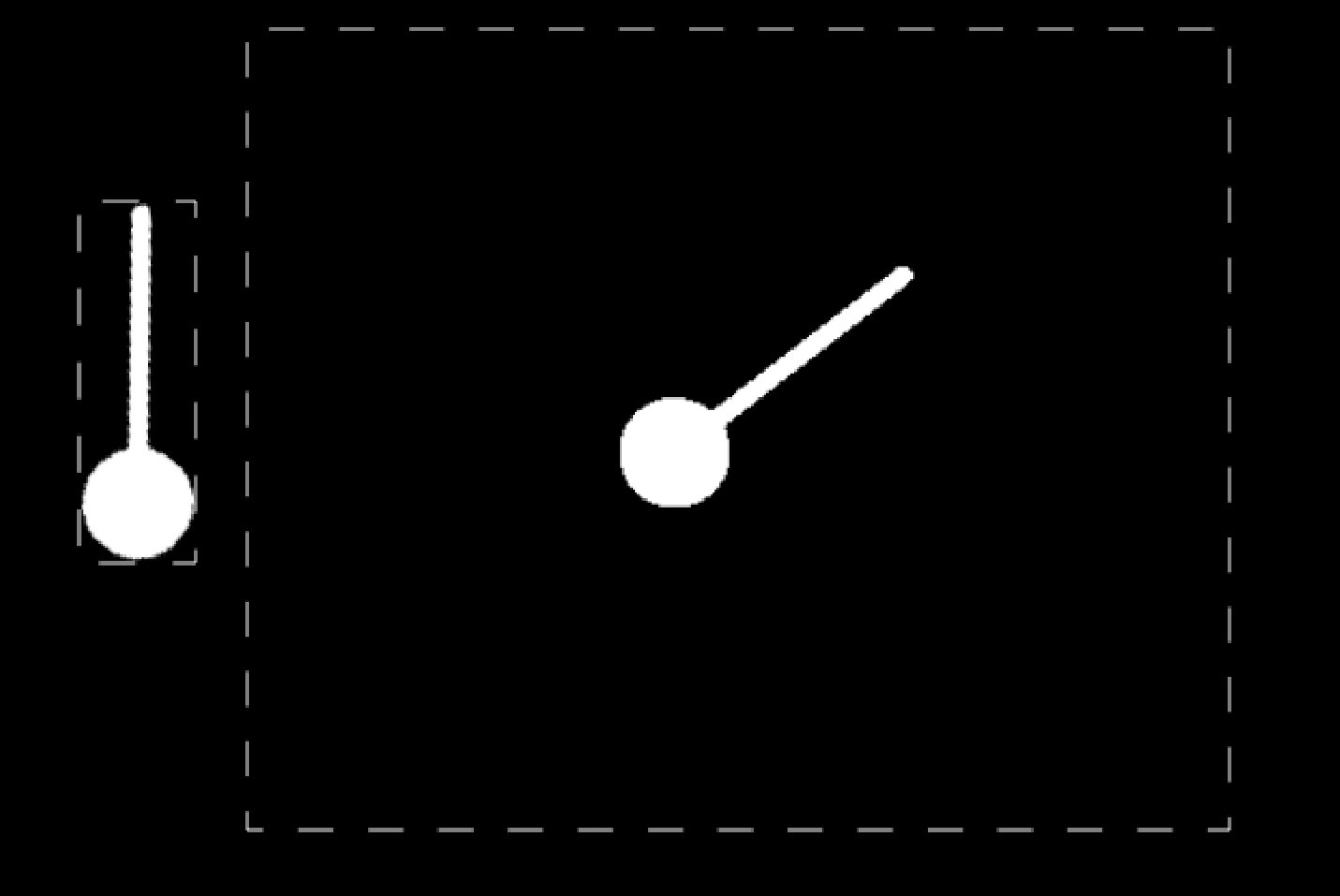 0
0 -
moving to general discussion, as this is no longer a feature request.
0
Please sign in to leave a comment.
Comments
3 comments